We’ve completely rebuilt the back-end pages for managing your TourVista account and virtual tours. Here’s a tour of the new design and features that you’re sure to love.
The Home Page
A slick new design awaits when you login to your TourVista account. The home page acts as a control panel for your entire account, showing your most Recent Tours and a nifty widget for quickly creating a New Tour.
Here’s a detailed video tutorial that for the Craigslist newbies that goes through each step of adding your post to the appropriate real estate section on Craigslist:
Learn more about our new Craigslist templates here and see why it’s important to include more than just plain text on your listings if you want them to stand out amongst the masses on Craigslist.
Nov 20th Update: More customizable and no TourVista account required! Visit tourvista.com/craigslist
In response to our blog post yesterday about Craigslist hammering down on images and styling , we are pleased to release the initial version of our New & Improved Craigslist Template for Real Estate!
While your competition is sprinkling in bold text and bulleted lists to their boring plain text ads, your listings will shine with TourVista’s new Craigslist design.
Here’s a video of the new templates – and if you haven’t already, setup a free account on TourVista and start using our new Craiglist template today!
We’ve heard from a few users that they would prefer a more obvious way to view full size versions of the photos and floor plans on their virtual tours.
Ask and you shall receive!
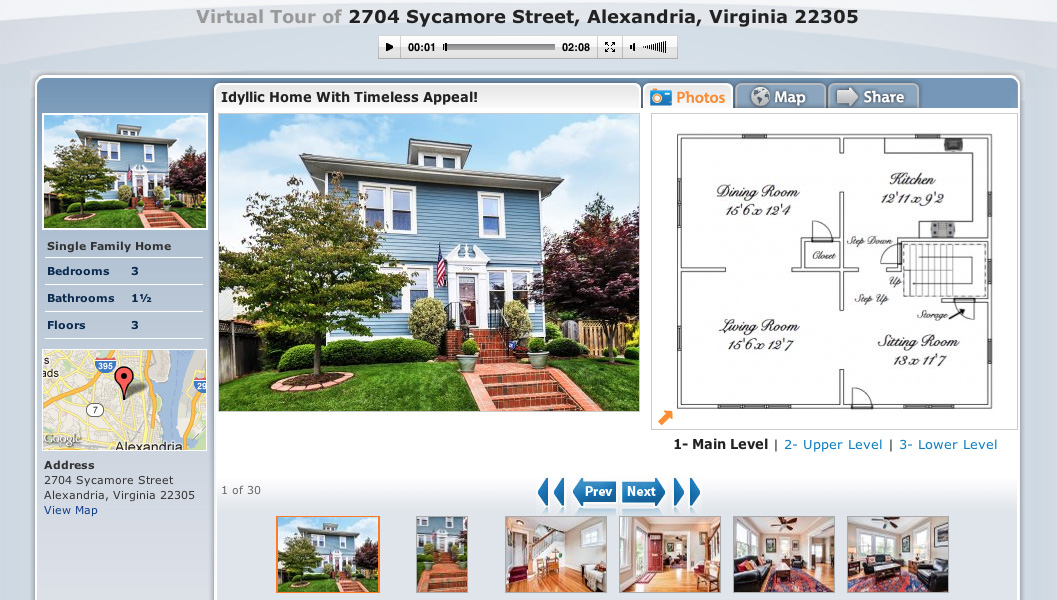
The Photos tab for an interactive floor plan.
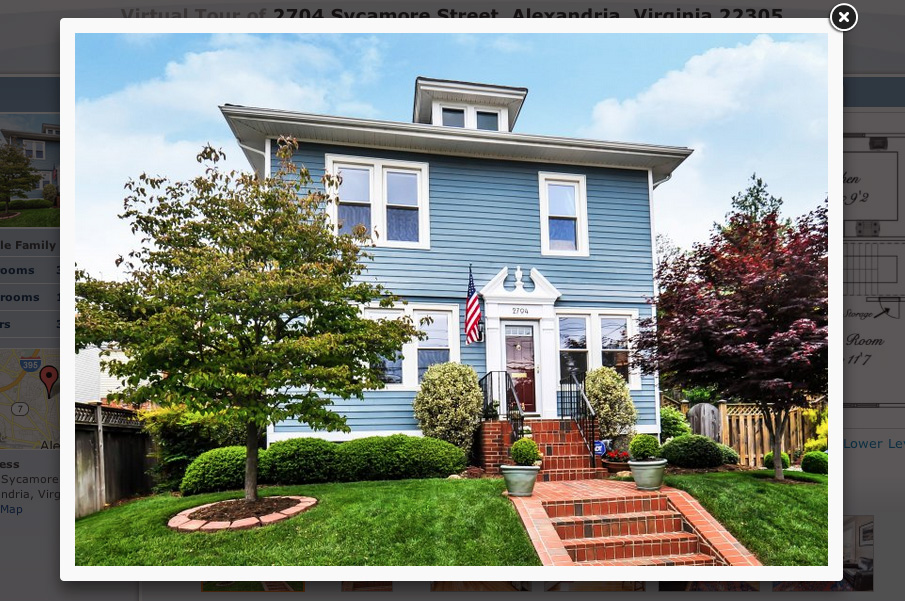
The lightbox for viewing each photo at full size.
The two screenshots above show (on the left) the Photos tab for an interactive floor plan and (on the right) the lightbox for viewing each photo at full size.
Tip: once the lightbox is showing, you can use the left/right arrow keys on your keyboard to quickly scroll through the photos.
Just visit one of your virtual tours and you’ll see that the lightbox has already been applied*.
* This update applies to Premium tours only, not free tours.
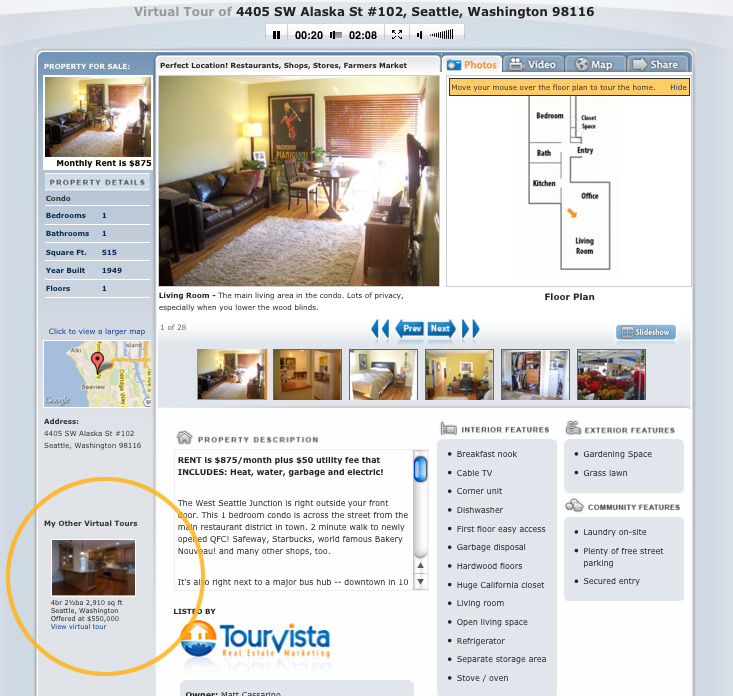
If you have more than one online virtual tour in your TourVista account, these tours will be shown down the left side of your virtual tour’s dedicated web page in a section titled “My Other Virtual Tours”. While this is helpful in getting extra traffic to your other listings, sometimes it would be better to not display this list. For example, perhaps your MLS requires that no other listings are shown on your online marketing.
Here’s how to hide the links to your other virtual tours.
The other virtual tours in your account are shown down the left side of the page.
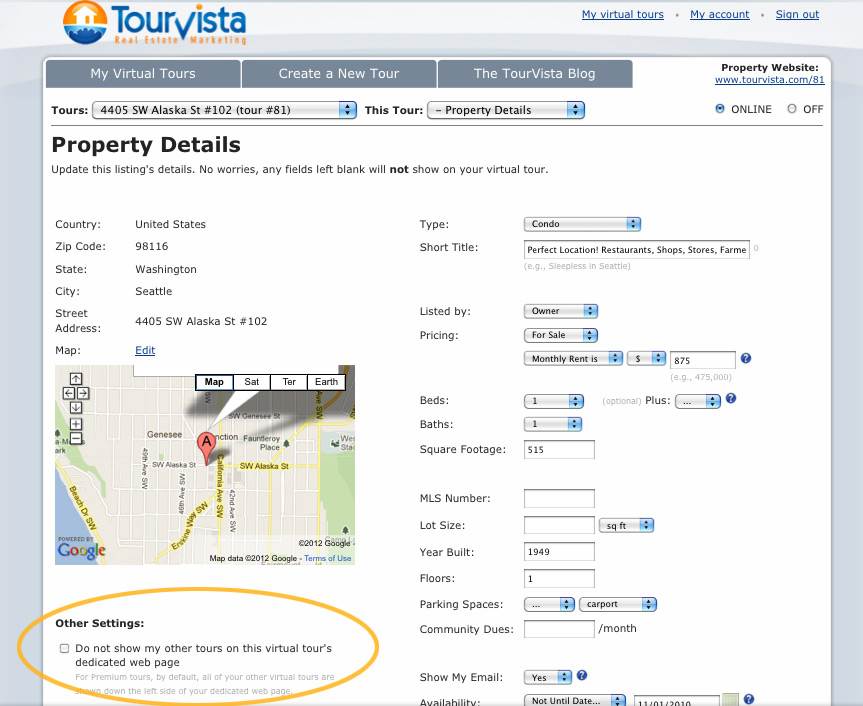
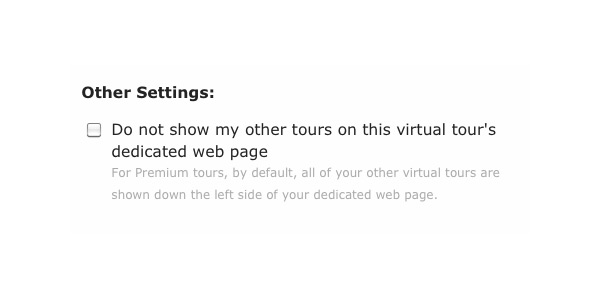
See the "Other Settings" on the Details page when editing a tour.
Here's where you can hide the other tours, just mark the checkbox.
From the My Virtual Tours tab, click on the address of the tour that you want to edit. This will load the details page.
At the bottom left, below the map, you will see a section for Other Settings. Mark the checkbox for “Do not show my other tours on this virtual tour’s dedicated web page”
Click Save.
That’s it! Now, when someone visits your dedicated web page for this virtual tour, the other tours in your account will no longer show.
Special thanks to Charlene of Indiana for this suggestion!
Every day you make a tiny bit if progress. You make one thing just a smidgen better. A tiny improvement that will barely benefit anyone. One inch.
There are thousands of these tiny things.
It takes a mindset of constant criticism to find them. And as you fix more and more of these little details, as you polish and shape and shine and craft the little corners of your product, something magical happens.
The inches add up to feet, the feet add up to yards, and the yards add up to miles. And you have a truly great product. The kind of product that feels great, that works intuitively, that blows people away. The kind of product where that one-in-a-million user doing that one-in-a-million unusual thing finds that not only does it work, but it’s beautiful: even the janitor’s closets of your software have marble floors and solid-core oak doors and polished mahogany wainscoting.
Is your home or apartment more cozy than the pictures convey? You have to think… Why are they buying the house? What are they looking for in the house? And do your pictures show the best possible image of your home to buyers? If you’re having trouble with your digital photos, MSN Real Estate has comprised a list of 6 tips for drawing in buyers through your photos online. This is especially applicable to anyone using Craigslist or the TourVista Craigslist templates.
Lighten up your subject – don’t take photos at night or try to use dramatic lighting. The clearer and the more professional looking, the better the photo.
More is better – take as many pictures as possible. The more you show, the more your buyer will feel better about wanting to see the house in person.
Get a clear shot – clean up your house or have it “staged” for the photos – clean area, no clutter, no trash outside, etc.
Go Pro – If you can’t seem to take great pictures on your own, consider using TourVista’s Professional Services.
Give it your best shot – borrow a friend’s camera or try to rent one from a local shop.
Edit – using Flickr or Photoshop to edit your photos can make a world of difference.
When it comes to homes for rent, vacant apartments, and sublets, CraigsList.com is the #1 classifieds website for the 21st century market. It’s free, easy to use, and everyone has heard of it. In a recent conversation with a friend in NYC, she explained to me how she found her apartment by saying, “everyone here uses Craiglist.” But how do your buyers/renters sort between listings? How do you stand out among a sea of others? The answer is simple. Theseven simple rules to posting on Craigslist. Use these simple instructions while creating your TourVista Craigslist add for your real estate listing. The Tourvista Craigslist templates are easy to fill out, simple to view, and more professional looking than posting directly form Craigslist alone.
When you pay attention to the details of your real estate listing, your buyers will too. But when you don’t pay attention to the details, they may end up standing out in a bad way. A few quick care chores to your home such as: touch-up paining, cutting grass, doing the dishes, or hiding the old lawn furniture, can have a lasting impact on your buyers and the way they view your home – or themselves in the home. Don’t cheat yourself when it comes to the value and beauty of your real estate listing. Putting your best home forward will not only bring buyers in the door, but it will ultimately lead to a buyer who will stay (in the door). And this article: Pay attention to buyer turnoffs in your home. will help you anticipate what your buyers are looking for from the moment they walk in.
TourVista’s suggestion: When it comes to your virtual tours and Craiglist adds, do your touch-ups before your photo shoot! Don’t take pictures of a leaking gutter, hole in the wall, or missing woodwork from a door. Take the time and a little extra money to always make sure you’re putting your best home forward. A little love = a buyer loving your listing.