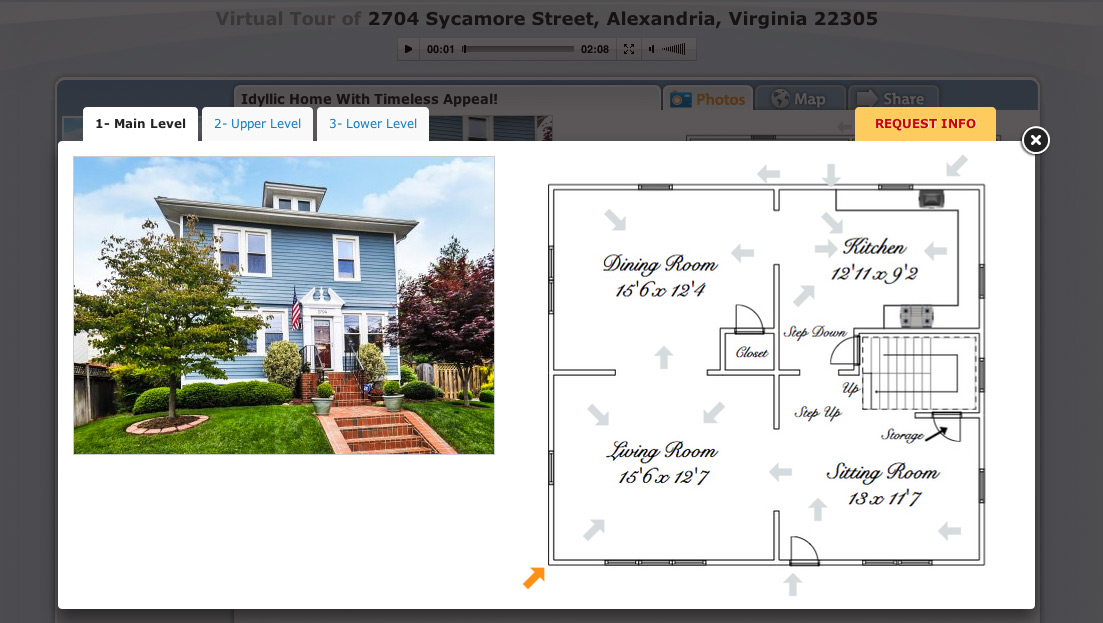
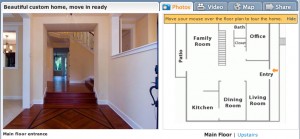
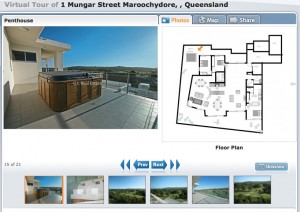
This is a really cool update that allows you to further customize your virtual tour with interactive floor plans by choosing the color for your arrows.
It’s super easy to customize the arrow colors:
Step 1
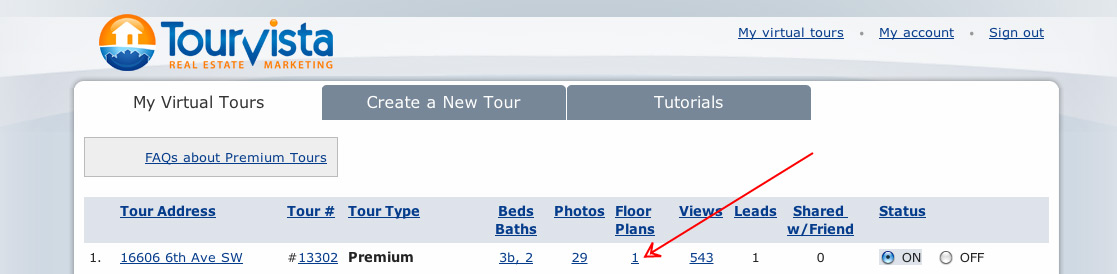
Login to your account at TourVista.com and click the Floor Plan link for the tour you’d like to edit.
Step 2
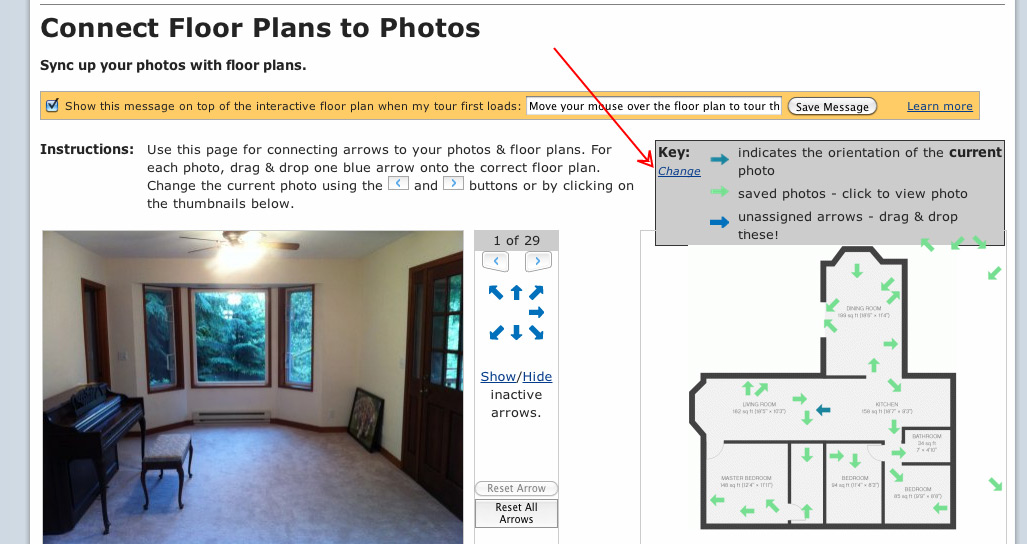
Then click the link to “Connect your photos to these floor plans”
Step 3
Click the “Change” link to select different color arrows for both the “on” and “off” states as shown on your interactive floor plans.
Step 4
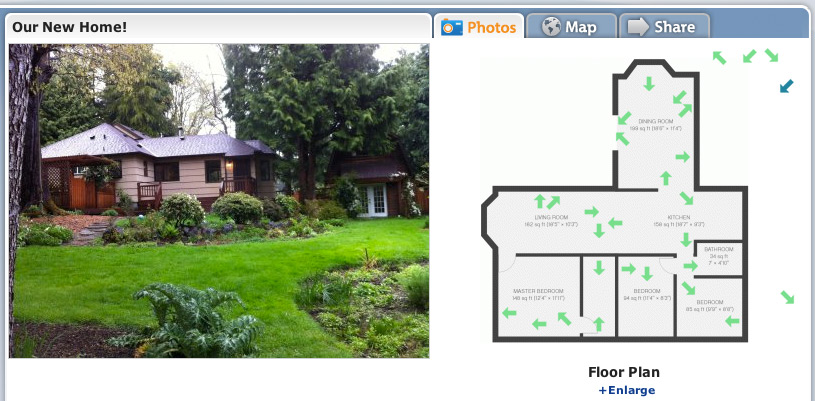
Save and view your tour! Aren’t you snazzy? But of course you are 😉
Here’s a video tutorial that walks you through the above steps:
TourVista was one of the first companies on the web to allow users to setup interactive floor plans for marketing their real estate. And while our interface for viewing the interactive floor plan was nice and clean… it was a bit small.
Most of our users figured out that their floor plans should be drawn such that they would fit nicely on the tour page, including cropping them tight so there was no unnecessary white space around the edge, resulting in the largest floor plan possible. Even still, if your property had a big, complex floor plan, it became very small and hard to read.
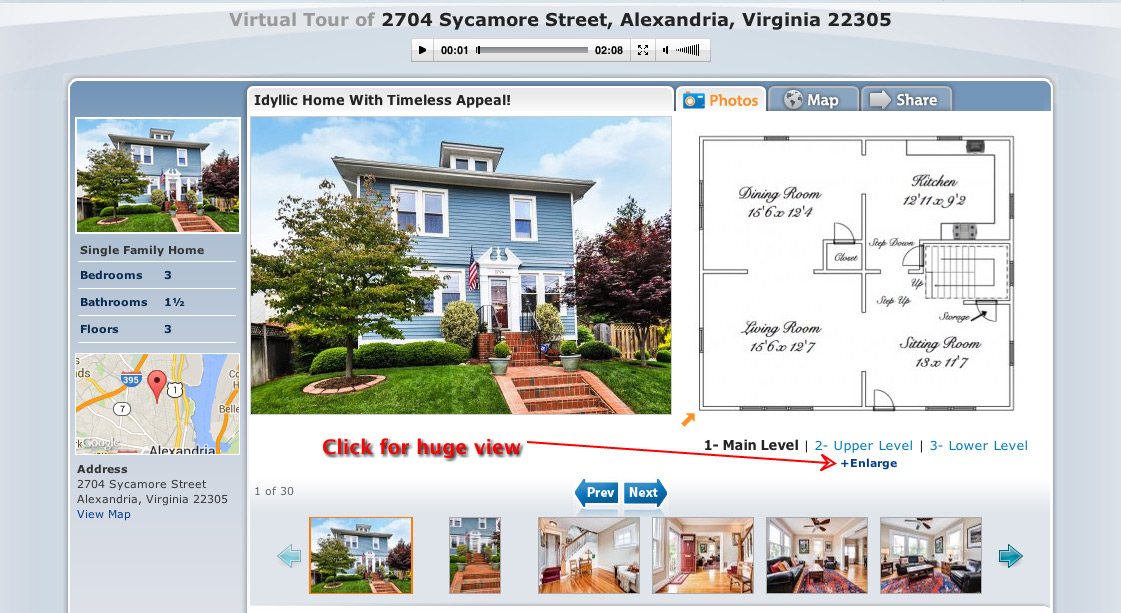
Well, it is my pleasure to announce that we’ve updated our tour page with a link “+Enlarge” that shows your interactive floor plan in a MUCH larger view! Yeehaw! Check it out:
Click the +Enlarge link
Full size view of interactive floor plans.
If that’s the good news, the better news is that all of your existing virtual tours with interactive floor plans have been updated automatically to show the larger view. Sweet!
Here’s a quick screencast demonstrating the large interactive floor plans:
Really want to make your home stand out from all the other ordinary real estate marketing websites? TourVista’s interactive floor plans let your viewers navigate themselves through your home. Combined with photos, interactive floor plans give viewers the information they are wanting from an online tour.
Viewers of your interactive floor plan can see exactly where each photo was taken as they tour your property online. (click to view)
Interactive floor plans are especially helpful for out-of-area prospects because they may not have an opportunity to view the home in person before making a buying or renting decision. Put yourself in their shoes for a second:
You’re moving to a new city and looking for a home online. Sure, you will be visiting in a few weeks and have scheduled time with your local real estate agent to view a limited number of properties. Obviously, you want to only spend your limited time looking at homes that are a good fit for you. TourVista’s interactive floor plans provide huge value to you because you can learn so much more about a home than just viewing photos.
Your prospects have a limited amount of time when it comes to shopping for a home – there’s only so many homes a person can look at both online and in person. They have to discern which homes they can dedicate this time to…make sure they pick your home to look at online.
Many sellers and landlords make the mistake of providing too few or too little information, but this can increase the chance they’ll just skip right past these homes for fear they will be wasting their time and effort in an in-person trip. Unless this home is the least expensive in the best neighborhood – not providing enough quality pictures or video will lose you viewers and leads. These days all homes are online on this website or that one – so you will need every way you can to make a great first impression on a potential buyer/renter. Showcasing your home with TourVista gives you this edge.
Not only do interactive floor plans give you an edge online, but they also give you pre-qualified/screened customers when they schedule an in-person visit. They already have a good idea of what the home will offer them and if they are ready to take a trip there in person then you know they are interested! This will save you a lot of time in the long run.
Providing more information, like interactive floor plans, at the beginning of the home search process helps you reach out to more customers and gets them excited about your home! It also gives you hotter leads when they come visit the home in person.
So, how do you setup an interactive floor plan for your home?
It’s easy. Just create a virtual tour on TourVista, upload your photos and simple floor plan graphics and use our custom technology to “drag & drop” arrows onto your floor plan for each photo. It takes about 2 minutes to build your interactive floor plan (and it’s actually kinda fun!).
But what if I don’t already have a floor plan graphic? How do I make one?
We agree, this is the most time consuming part of creating your interactive floor plan. If you don’t already have a floor plan graphic, you’ll need to make one. Check out this tutorial which demonstrates building a floor plan using Photoshop. There are also a few websites that let you draw floor plans using your mouse. Or you can hire us and our graphic designers will turn your sketch or blueprint into a beautiful floor plan graphic that’s ready for an interactive floor plan.
OK, perhaps a slight exaggeration in the title to this post, but it’s not unusual for a Microsoft product to have bugs. Their newest release of the-growing-ever-unpopular web browser Internet Explorer 9 was breaking TourVista’s coolest technology: the ability to drag and drop your tour content. Thanks to a few of our users who contacted us to report this issue.
We’re glad to report that we’ve made the necessary updates so that TourVista is fully compatible with Internet Explorer 9 (aka IE9). You can go back to dragging and dropping your photos and arrows onto the interactive floor plans you create with TourVista. 🙂
PS. thanks to IE9 as it provides great job security for website developers!
Is your home or apartment more cozy than the pictures convey? You have to think… Why are they buying the house? What are they looking for in the house? And do your pictures show the best possible image of your home to buyers? If you’re having trouble with your digital photos, MSN Real Estate has comprised a list of 6 tips for drawing in buyers through your photos online. This is especially applicable to anyone using Craigslist or the TourVista Craigslist templates.
Lighten up your subject – don’t take photos at night or try to use dramatic lighting. The clearer and the more professional looking, the better the photo.
More is better – take as many pictures as possible. The more you show, the more your buyer will feel better about wanting to see the house in person.
Get a clear shot – clean up your house or have it “staged” for the photos – clean area, no clutter, no trash outside, etc.
Go Pro – If you can’t seem to take great pictures on your own, consider using TourVista’s Professional Services.
Give it your best shot – borrow a friend’s camera or try to rent one from a local shop.
Edit – using Flickr or Photoshop to edit your photos can make a world of difference.
There’s no denying we live in a digital world. Even snail mail now tells you to go online for more research or information on a new product. If readership of the New York Times is now down 4.51%, how well do you think your local paper’s doing? According to The Real Estate Bloggers, Advertising in the newspapers does not make sense. Several major USA newspapers have lost readership in the past year, alone. Our digital age is turning the newspaper classifieds into a thing of the past. Don’t waste your money and effort advertising a real estate listing in the dying newspapers. Instead, utilize your best effort and effectively target your audience using TourVista.
When it comes to homes for rent, vacant apartments, and sublets, CraigsList.com is the #1 classifieds website for the 21st century market. It’s free, easy to use, and everyone has heard of it. In a recent conversation with a friend in NYC, she explained to me how she found her apartment by saying, “everyone here uses Craiglist.” But how do your buyers/renters sort between listings? How do you stand out among a sea of others? The answer is simple. Theseven simple rules to posting on Craigslist. Use these simple instructions while creating your TourVista Craigslist add for your real estate listing. The Tourvista Craigslist templates are easy to fill out, simple to view, and more professional looking than posting directly form Craigslist alone.
When you pay attention to the details of your real estate listing, your buyers will too. But when you don’t pay attention to the details, they may end up standing out in a bad way. A few quick care chores to your home such as: touch-up paining, cutting grass, doing the dishes, or hiding the old lawn furniture, can have a lasting impact on your buyers and the way they view your home – or themselves in the home. Don’t cheat yourself when it comes to the value and beauty of your real estate listing. Putting your best home forward will not only bring buyers in the door, but it will ultimately lead to a buyer who will stay (in the door). And this article: Pay attention to buyer turnoffs in your home. will help you anticipate what your buyers are looking for from the moment they walk in.
TourVista’s suggestion: When it comes to your virtual tours and Craiglist adds, do your touch-ups before your photo shoot! Don’t take pictures of a leaking gutter, hole in the wall, or missing woodwork from a door. Take the time and a little extra money to always make sure you’re putting your best home forward. A little love = a buyer loving your listing.
We’ve heard from some of our users that people may not know to mouseover the interactive floor plans in order to view the arrows and each respective photograph. Leaving out this instructive text was a deliberate design decision as we wanted to keep the tour player free of unnecessary content. However, at the same time, if a user doesn’t realize that their is an interactive floor plan and never experiences that aspect of the virtual tour, that’s an even greater loss.
So we’ve updated the TourVista source code to give the best of both worlds. Now you can choose whether or not to show a message informing the users that they should mouseover the interactive floor plan in order to use it. And you can even customize the message text for each of your virtual tours with interactive floor plans!
Thanks to Eric from Chicago for this suggestion. Check out his virtual tour in Chicago’s Garfield Ridge. As always, let us know what you think and if you have any ideas for improving TourVista, we’re listening.