We’ve completely rebuilt the back-end pages for managing your TourVista account and virtual tours. Here’s a tour of the new design and features that you’re sure to love.
The Home Page
A slick new design awaits when you login to your TourVista account. The home page acts as a control panel for your entire account, showing your most Recent Tours and a nifty widget for quickly creating a New Tour.
We’ve received a huge response to our new Craigslist templates that went live last week. So big in fact we’ve decided to allow ANYONE to use them — no TourVista account required.
Just go to tourvista.com/craigslist and enter your property information as demonstrated in this video:
Ya baby! Hope you enjoy!!
Not sure what the big deal is? Recently Craigslist hammered down on their real estate listing guidelines, essentially reducing all listings to plain text. No externally-hosted images. No fancy HTML formatting. More info at our blog posts here and here.
Nov 20th Update: More customizable and no TourVista account required! Visit tourvista.com/craigslist
In response to our blog post yesterday about Craigslist hammering down on images and styling , we are pleased to release the initial version of our New & Improved Craigslist Template for Real Estate!
While your competition is sprinkling in bold text and bulleted lists to their boring plain text ads, your listings will shine with TourVista’s new Craigslist design.
Here’s a video of the new templates – and if you haven’t already, setup a free account on TourVista and start using our new Craiglist template today!
Nov 14th Update: We’ve released a new & improved version of our Craigslist template! Details here
WOW! is all I have to say about this.
Craigslist is now removing all externally-hosted images and most other formatting from your real estate posts.
That is, your beautiful posts created using various Craigslist templates like TourVista’s are now stripped naked and in most cases looking very ugly.
No images. No fancy styling. No well-designed layout.
Just plain text and some minor formatting like bold and italics. Excuse me while I barf.
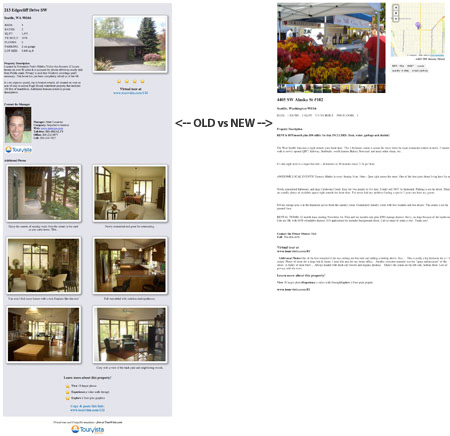
TourVista’s original Craigslist template (left) shows images and other styling. Craigslist converts it all to boring, plain text (right).
Is this just an effort to blast us all back to 1995? I don’t think so. Craigslist has always gone the route of “less is more” with their design and overall user experience. Instead, it feels more like a way to manage the look of all posts for consistency in an effort to level the playing field for everyone.
No need to freak out…
While this does have most real estate marketers in a state of shock, it is actually good news. By removing all images and fancy styling and forcing all posts to be plain text, ANYTHING that we can do to make your text better than just plain text will help it stand out.
And that’s what we are working on right now — an updated Craigslist template that takes your property info from TourVista and generates “better than plain text” copy/paste code to help it POP on Craigslist.
Stay tuned… and let us know if you have any ideas!
TourVista was one of the first companies on the web to allow users to setup interactive floor plans for marketing their real estate. And while our interface for viewing the interactive floor plan was nice and clean… it was a bit small.
Most of our users figured out that their floor plans should be drawn such that they would fit nicely on the tour page, including cropping them tight so there was no unnecessary white space around the edge, resulting in the largest floor plan possible. Even still, if your property had a big, complex floor plan, it became very small and hard to read.
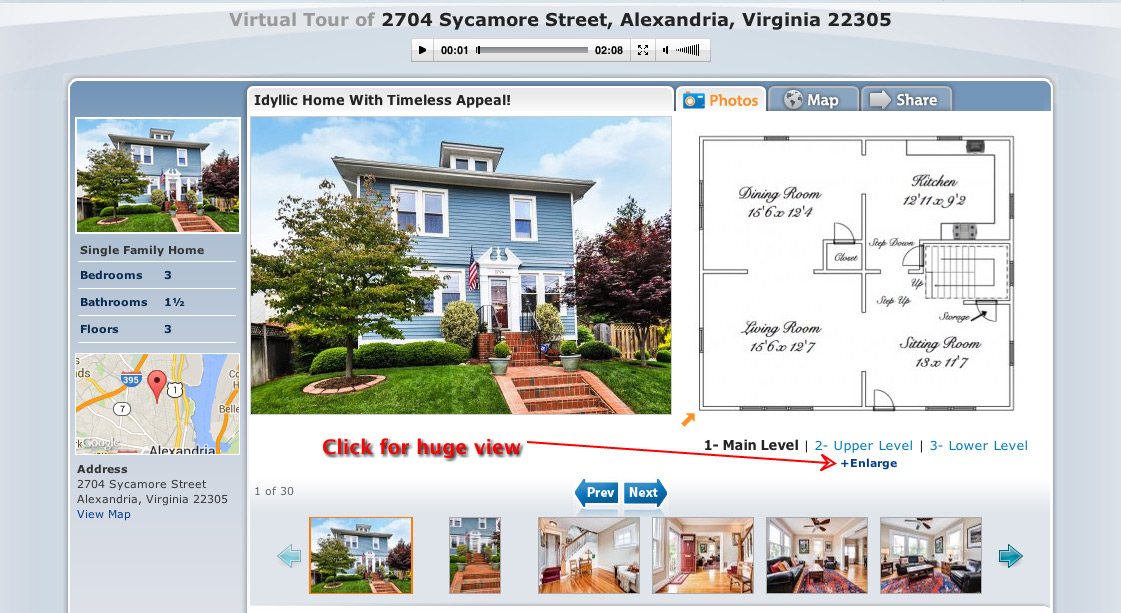
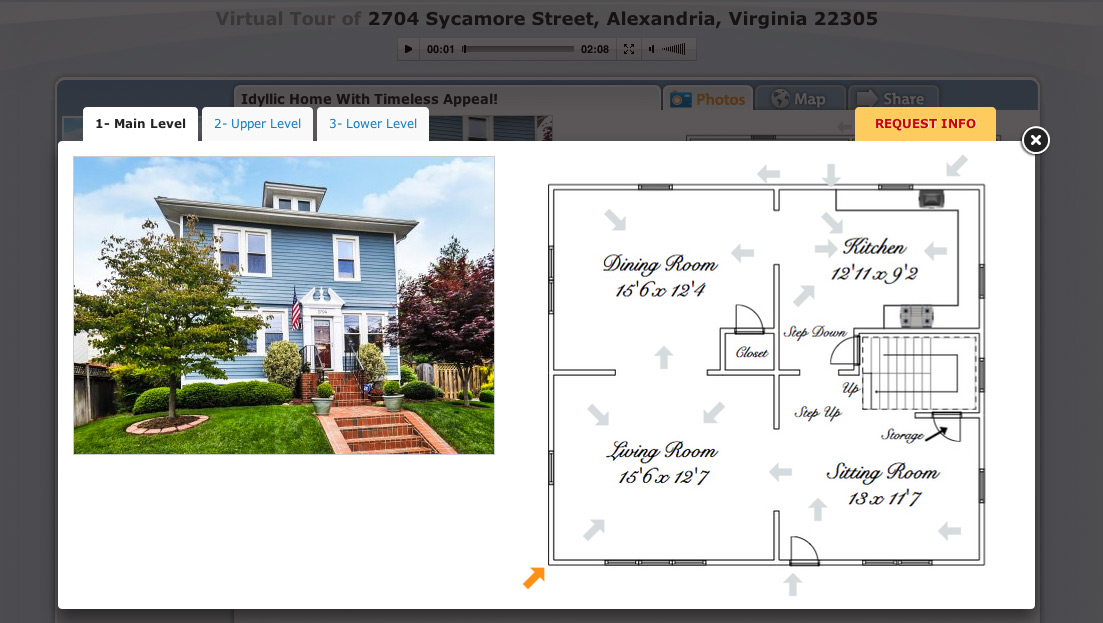
Well, it is my pleasure to announce that we’ve updated our tour page with a link “+Enlarge” that shows your interactive floor plan in a MUCH larger view! Yeehaw! Check it out:
Click the +Enlarge link
Full size view of interactive floor plans.
If that’s the good news, the better news is that all of your existing virtual tours with interactive floor plans have been updated automatically to show the larger view. Sweet!
Here’s a quick screencast demonstrating the large interactive floor plans:
We’ve heard from a few users that they would prefer a more obvious way to view full size versions of the photos and floor plans on their virtual tours.
Ask and you shall receive!
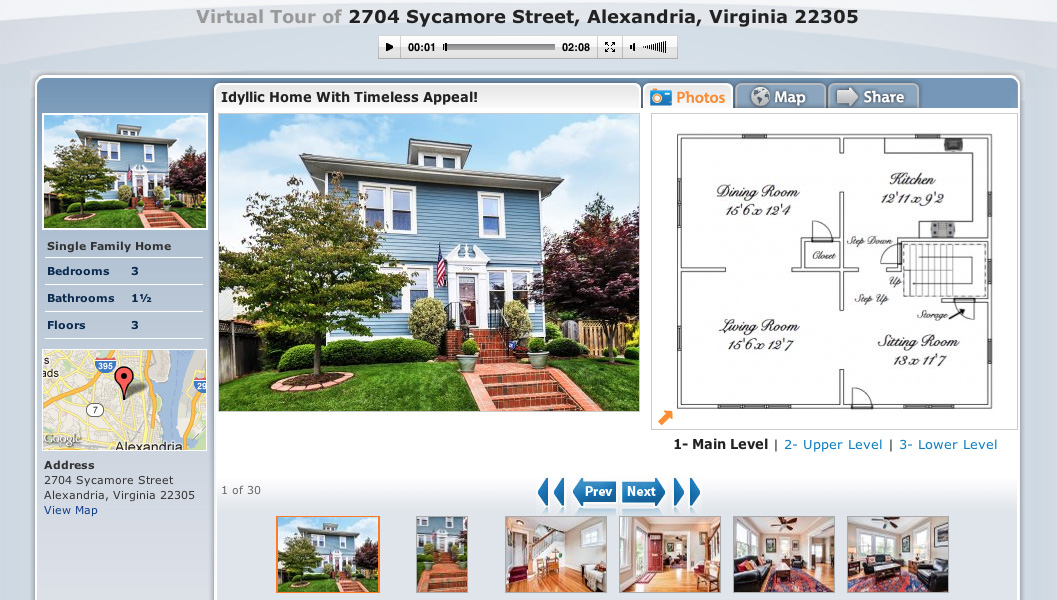
The Photos tab for an interactive floor plan.
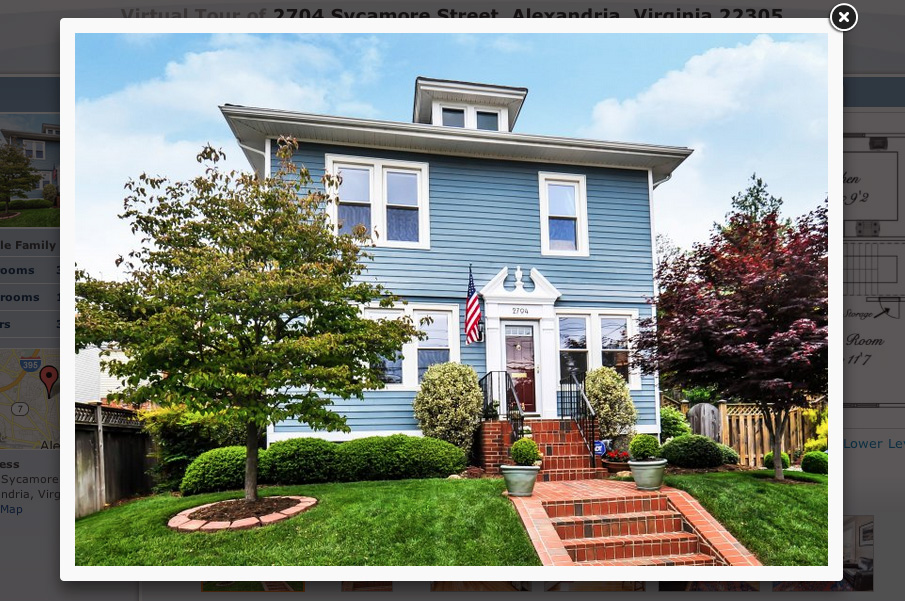
The lightbox for viewing each photo at full size.
The two screenshots above show (on the left) the Photos tab for an interactive floor plan and (on the right) the lightbox for viewing each photo at full size.
Tip: once the lightbox is showing, you can use the left/right arrow keys on your keyboard to quickly scroll through the photos.
Just visit one of your virtual tours and you’ll see that the lightbox has already been applied*.
* This update applies to Premium tours only, not free tours.
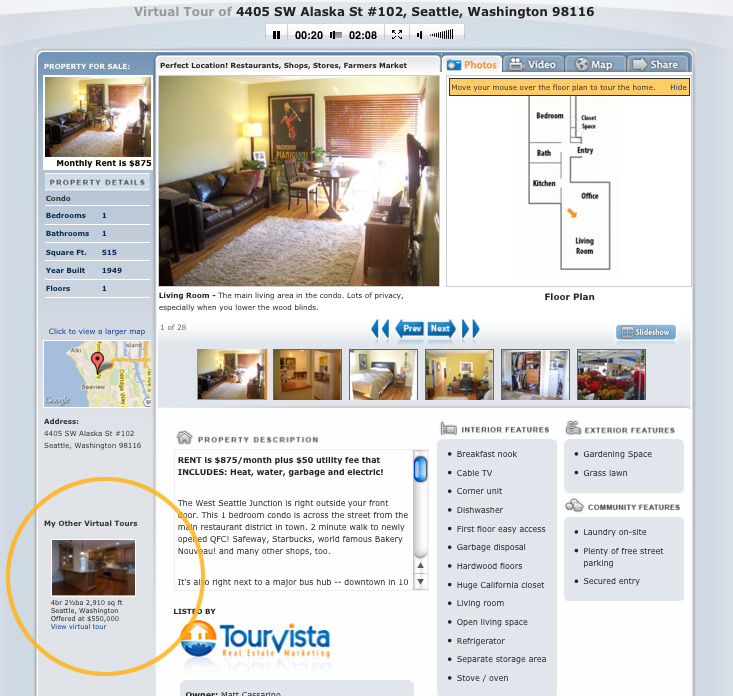
If you have more than one online virtual tour in your TourVista account, these tours will be shown down the left side of your virtual tour’s dedicated web page in a section titled “My Other Virtual Tours”. While this is helpful in getting extra traffic to your other listings, sometimes it would be better to not display this list. For example, perhaps your MLS requires that no other listings are shown on your online marketing.
Here’s how to hide the links to your other virtual tours.
The other virtual tours in your account are shown down the left side of the page.
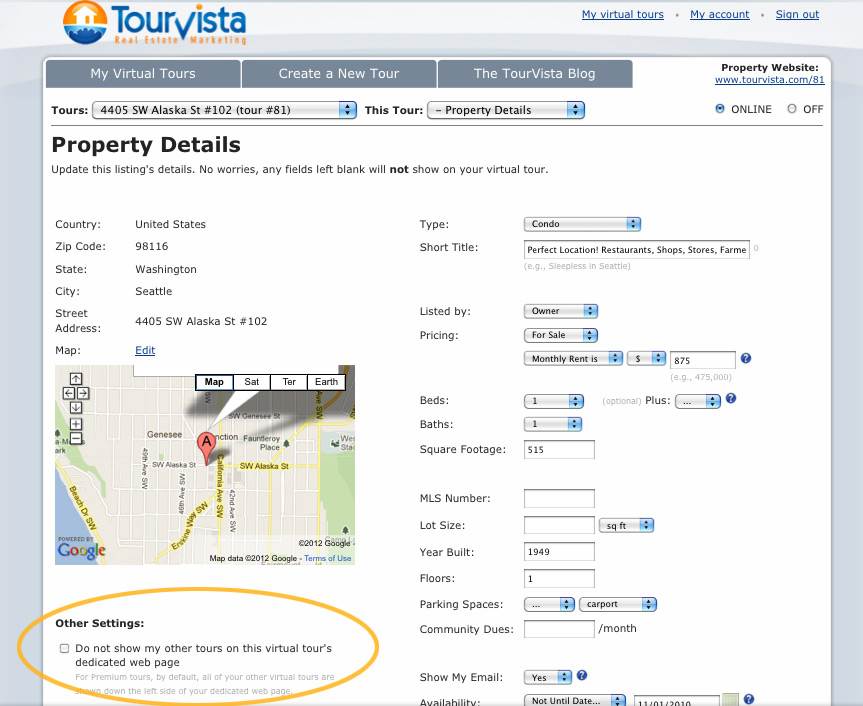
See the "Other Settings" on the Details page when editing a tour.
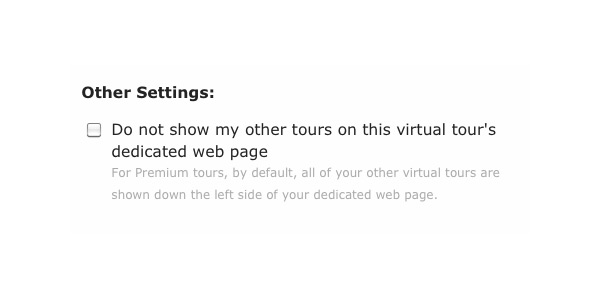
Here's where you can hide the other tours, just mark the checkbox.
From the My Virtual Tours tab, click on the address of the tour that you want to edit. This will load the details page.
At the bottom left, below the map, you will see a section for Other Settings. Mark the checkbox for “Do not show my other tours on this virtual tour’s dedicated web page”
Click Save.
That’s it! Now, when someone visits your dedicated web page for this virtual tour, the other tours in your account will no longer show.
Special thanks to Charlene of Indiana for this suggestion!
OK, perhaps a slight exaggeration in the title to this post, but it’s not unusual for a Microsoft product to have bugs. Their newest release of the-growing-ever-unpopular web browser Internet Explorer 9 was breaking TourVista’s coolest technology: the ability to drag and drop your tour content. Thanks to a few of our users who contacted us to report this issue.
We’re glad to report that we’ve made the necessary updates so that TourVista is fully compatible with Internet Explorer 9 (aka IE9). You can go back to dragging and dropping your photos and arrows onto the interactive floor plans you create with TourVista. 🙂
PS. thanks to IE9 as it provides great job security for website developers!
When you pay attention to the details of your real estate listing, your buyers will too. But when you don’t pay attention to the details, they may end up standing out in a bad way. A few quick care chores to your home such as: touch-up paining, cutting grass, doing the dishes, or hiding the old lawn furniture, can have a lasting impact on your buyers and the way they view your home – or themselves in the home. Don’t cheat yourself when it comes to the value and beauty of your real estate listing. Putting your best home forward will not only bring buyers in the door, but it will ultimately lead to a buyer who will stay (in the door). And this article: Pay attention to buyer turnoffs in your home. will help you anticipate what your buyers are looking for from the moment they walk in.
TourVista’s suggestion: When it comes to your virtual tours and Craiglist adds, do your touch-ups before your photo shoot! Don’t take pictures of a leaking gutter, hole in the wall, or missing woodwork from a door. Take the time and a little extra money to always make sure you’re putting your best home forward. A little love = a buyer loving your listing.
If you have a video of your listing, be sure to include it on your TourVista virtual tour. Here’s how:
Upgrade your virtual tour to Premium
Upload your video to your YouTube account
Copy the video ID from YouTube
Paste the video ID into the Video section of your virtual tour
Now a Video tab will show on your virtual tour page & widgets that includes your video from YouTube.
Plus, thanks to the suggestion from Phyllis R., the “Related Videos” from YouTube are no longer showing when your video finished playing on your virtual tour. Not only is this a better experience for your viewers (no need to show them content that is not specifically about your property) but if your property is in an MLS you don’t have to worry about getting any fines. Some MLS’s are very strict about what you can and cannot show about a property online.